Swiss cloud solutions
Nextcloud Hub Swiss
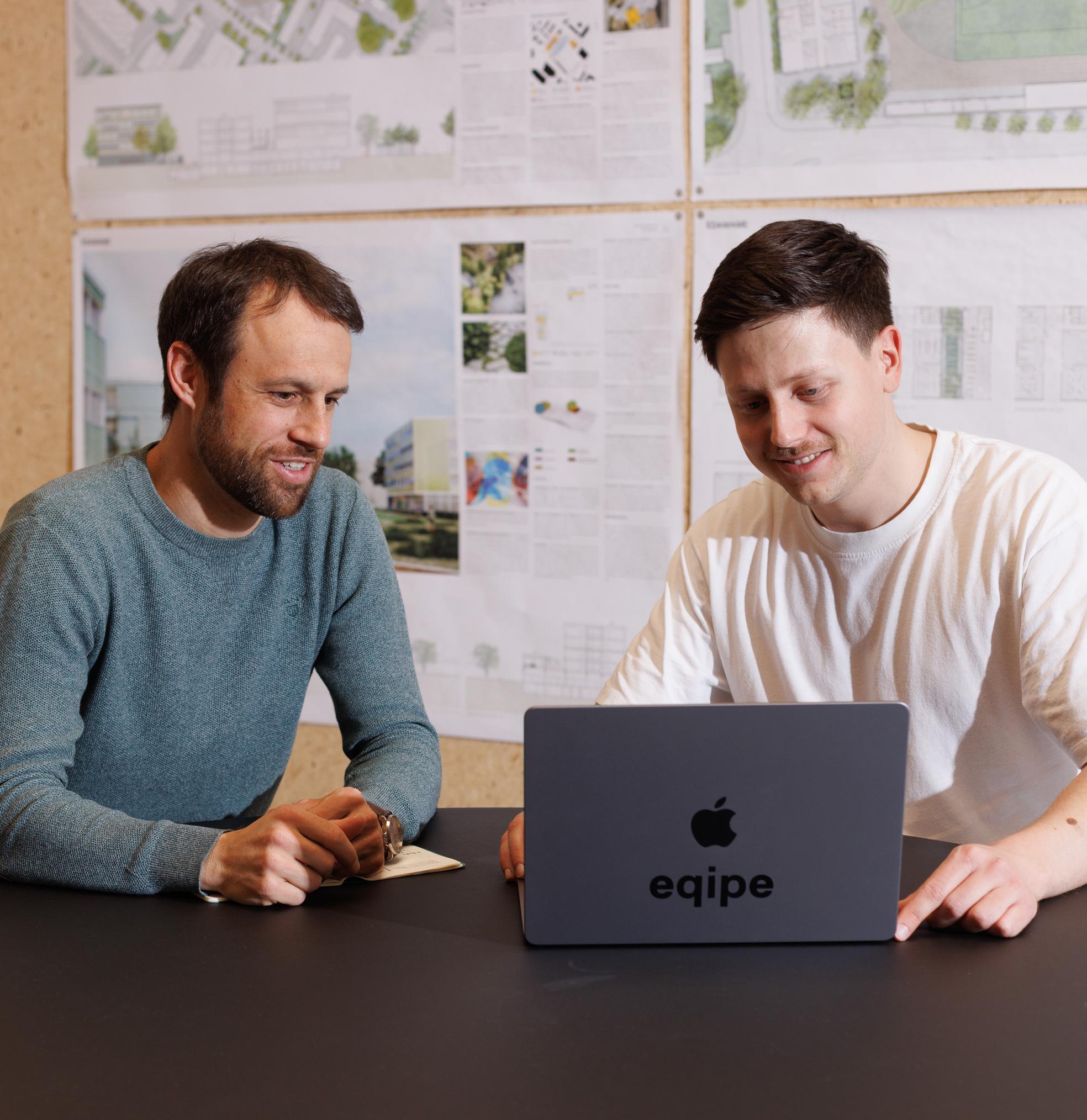
The Swiss cloud solution for data storage and remote collaboration: Nextcloud Hub Swiss is ideal for all businesses, associations, foundations and other organisations that want to collaborate flexibly and securely – whether in the same office or remotely. All data is stored in Swiss data centres.
The digital workspace that’s easy to get started with
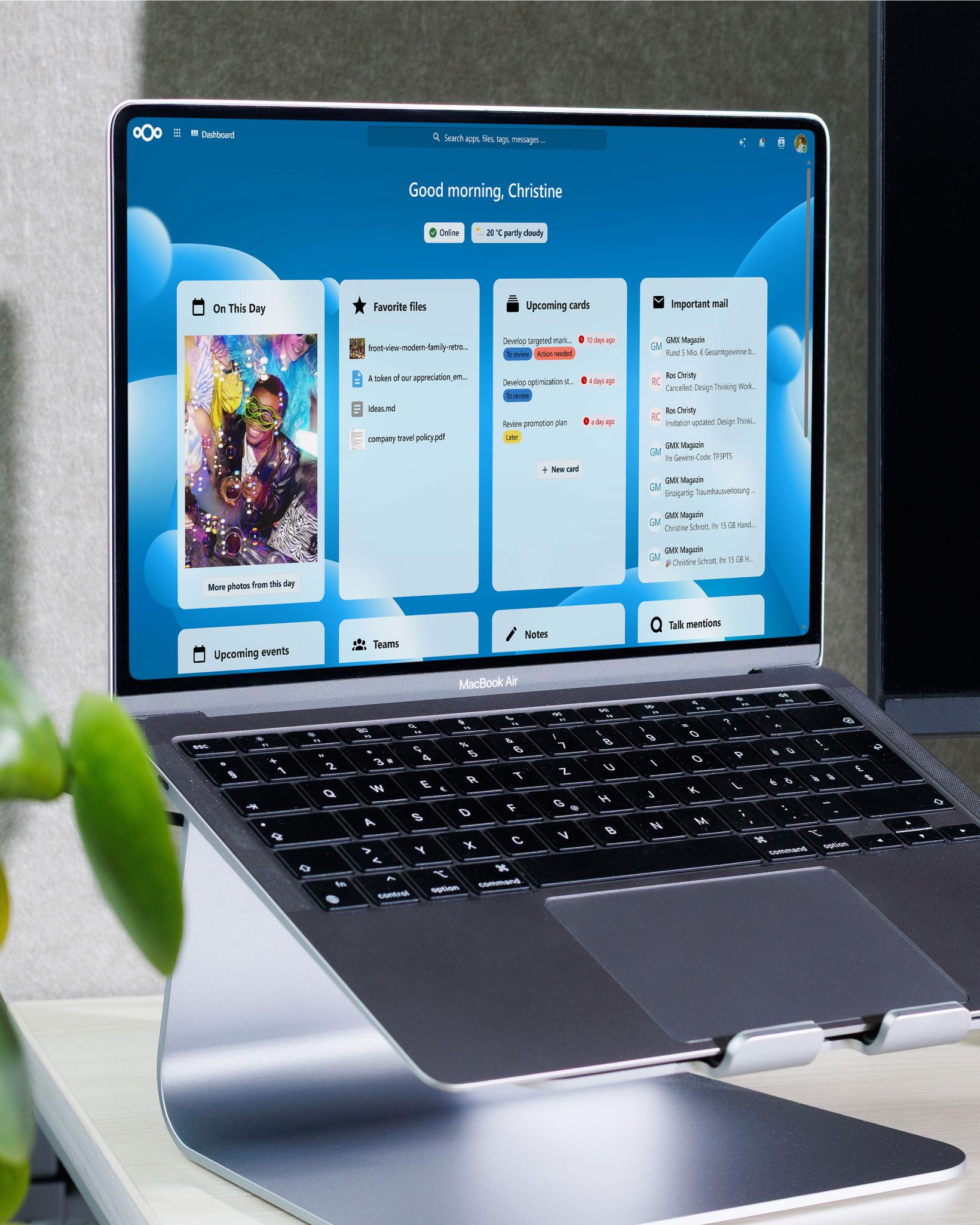
The digital workspace with all the essential features and full control of your data: Nextcloud Hub Swiss is a modern digital workspace that brings together key productivity and collaboration tools on a unified, modular platform.
Nextcloud Hub Swiss is user-friendly and easy to manage. The solution also addresses all the typical challenges around compliance, security, costs and productivity that would arise from using isolated SaaS tools.

Applications
Nextcloud Files
Simple and secure data storage: with Nextcloud Files, your data is always available, wherever you are, to everyone who is authorised to access it. It doesn’t matter which operating system your team uses. And no data is handed over to third parties.
- Easy access from anywhere
- Secure file and folder sharing
- Flexible access permissions
- Desktop and mobile synchronisation
- Client-side file protection and end-to-end encryption
Applications
Nextcloud Groupware
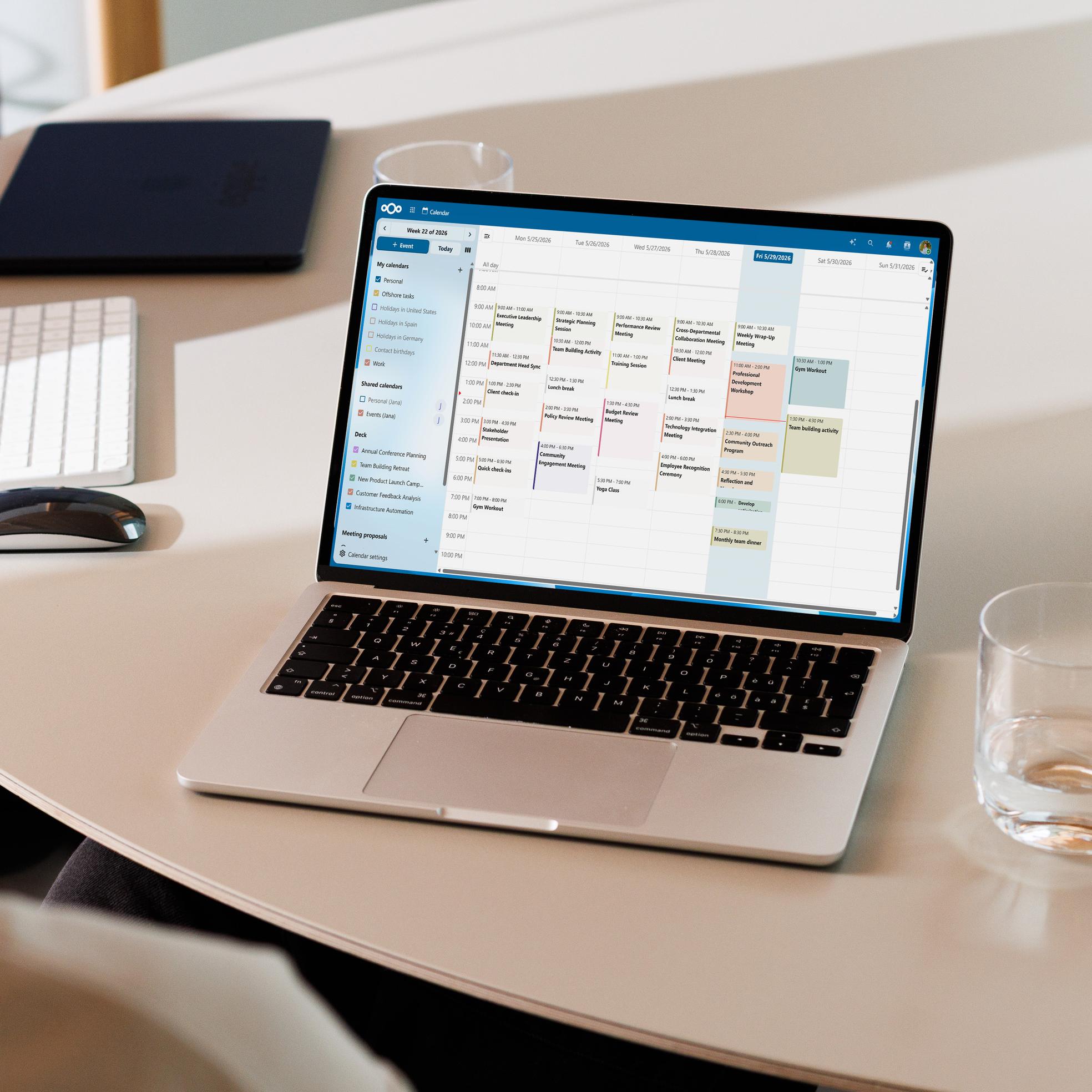
Keep everything in view: communication, contacts and appointments. Nextcloud Groupware makes it easier for your organisation to work as a team, with email and productivity features included. For smooth and transparent collaboration.
- Manage contacts and calendars (CardDAV, CalDAV)
- Easy-to-use, full-featured email client
- Manage shared tasks and projects in Kanban style with Nextcloud Deck
- Deep, native integration (iOS, Android, macOS, Windows, Linux, Outlook and Thunderbird)
Applications
Nextcloud Office
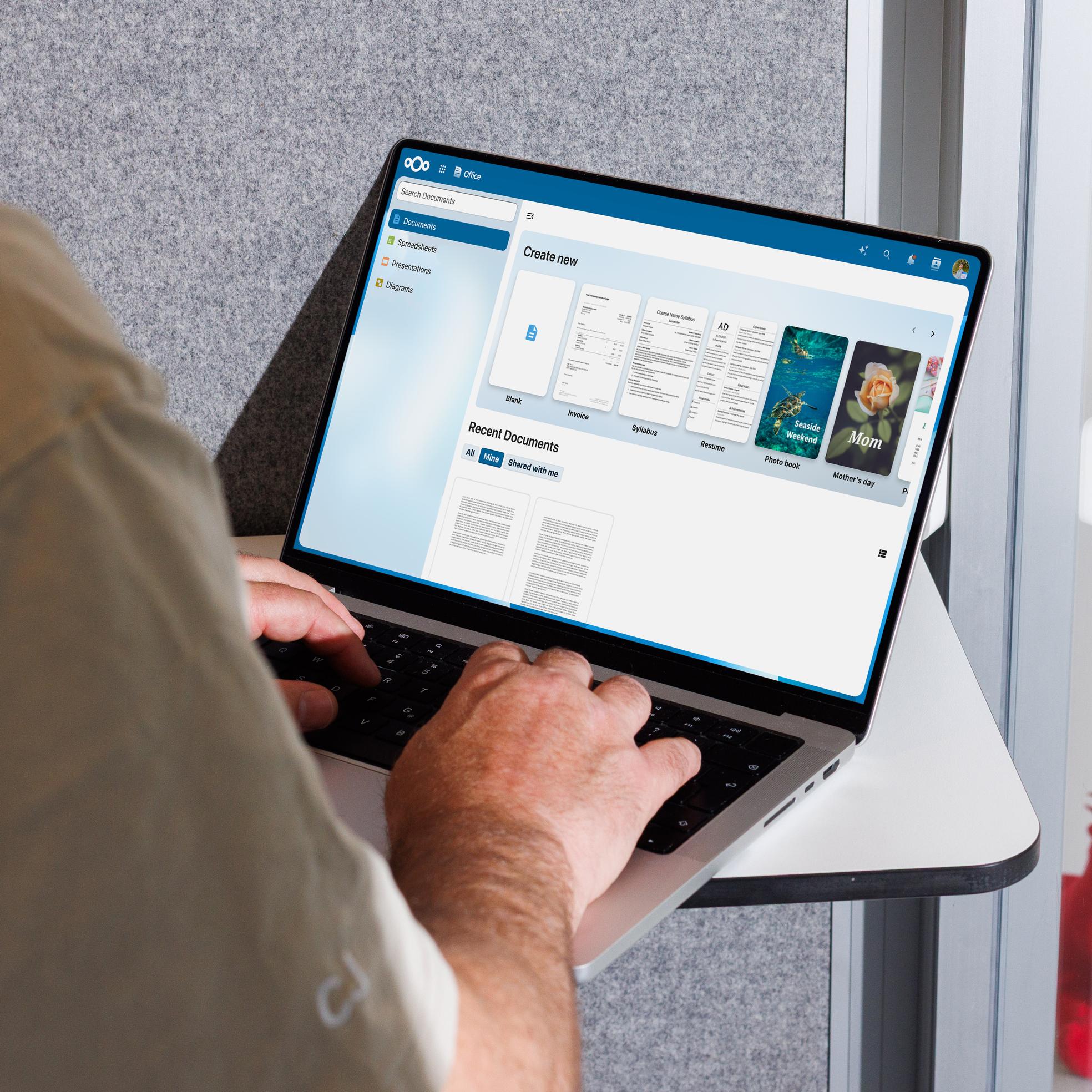
The all-in-one office solution that lets everyone work together on documents: Nextcloud Office supports all the key file formats for text documents, spreadsheets and presentations, and works in all modern browsers.
- Collaborative editing in the browser
- Highly accurate rendering, visible instantly
- Seamlessly integrated into the Nextcloud ecosystem
- Euro-Office or Collabora
Applications
Nextcloud Talk
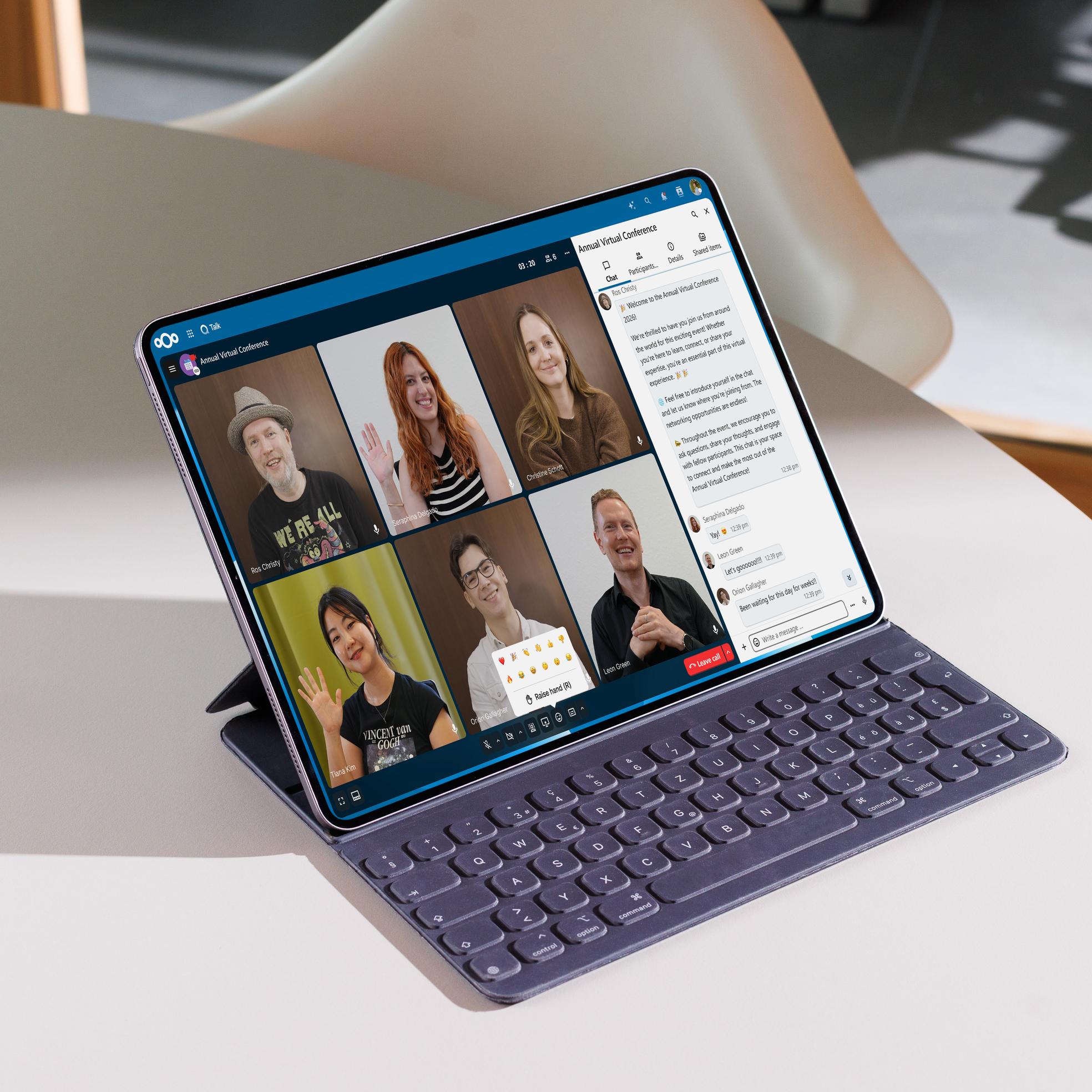
Our secure alternative to Teams or Slack: Nextcloud Talk is the Swiss collaboration platform for online meetings, chats and webinars. Highly secure and giving you full control of your data, Nextcloud Talk protects your communications and ensures your data stays on trusted servers.
- Private, group and public calls – fully encrypted
- Webinars and public video conferences with a lobby
- Seamlessly integrated into Nextcloud Hub: share documents in chat, schedule meetings directly from Talk or create polls.
Your eqipe benefits
|
Price in CHF
(excl. VAT)
|
25.– | 60.– | 100.– |
|
Storage space
|
50 GB | 200 GB | 500 GB |
|
Additional storage space can be booked from the “Pro” plan. Please contact us for a tailored quote.
|
|||
|
Daily backup
|
1x | 2x | 4x |
|
We regularly create snapshots and also back up your data at a geographically separate location: off-site backup once daily (14-day retention), in-house backup up to 4 times daily, depending on the plan, in the form of snapshots (24-hour retention).
|
|||
|
Available performance
|
|
|
|
|
Cloud performance is defined by various criteria, including CPU and RAM limits and the number of Kubernetes pods provided for the application and database. A plan with more performance is recommended if you have a large number of users and use the cloud in a browser.
|
|||
|
Number of users
|
unlimited | unlimited | unlimited |
|
No setup fee
|
|||
|
Swiss Hosting
|
|||
|
eqipe is committed to digital sovereignty and holds the “Swiss Hosting” label from Swiss Made Software. “Swiss Hosting” is a promise that all data remains in Switzerland and that legally binding access by third parties is only permitted through the Swiss authorities and under Swiss law.
|
|||
|
System Management
|
|||
|
We manage the system, carry out technical maintenance and regularly install Nextcloud server updates after testing the new release and approving it.
|
|||
|
Admin access
|
|||
|
With us, you get full admin access and therefore access to all Nextcloud features. You can also add other users as admins.
|
|||
|
Own apps
|
|||
|
Simply install additional apps such as Mail, Calendar, Contacts or Deck for Kanban boards. Please note: We accept no liability for apps you install yourself or any potential impact they may have on system performance.
|
|||
|
Custom branding
|
|||
|
The Nextcloud web interface and emails can be customised with a login image, logo, accent colour and more. The design of the Nextcloud desktop client cannot be customised.
|
|||
|
Nextcloud Files
|
|||
|
File storage and synchronisation with powerful collaboration features, accessible through desktop, mobile and web interfaces.
|
|||
|
Nextcloud Groupware
|
|||
|
Calendar, contacts, email client (web) and other productivity features, helping teams get their work done faster, more easily and just the way they want.
|
|||
|
Own domain
|
optional | ||
|
We set up a dedicated domain, including an SSL certificate, for your cloud storage. This makes your Nextcloud accessible under a custom domain, e.g. cloud.ihredomain.ch. Using your own domain is very popular for sharing with clients and partners.
|
|||
|
Client Push
|
optional | optional | |
|
Nextcloud clients regularly check whether files on the server have changed. These requests can account for a significant proportion of server load. With Client Push (also known as notify_push), the server sends updates directly to Nextcloud clients. This speeds up synchronisation and improves system performance.
|
|||
|
Nextcloud Office
|
optional | optional | optional |
|
Nextcloud Office is a powerful online office suite with collaborative editing, based on Euro-Office or Collabora. It supports all common file formats for documents, spreadsheets and presentations, and works in all modern browsers. Nextcloud Office is a secure alternative to Google Workspace and Microsoft 365.
|
|||
|
Nextcloud Talk (HPB)
|
optional | optional | optional |
|
Nextcloud Talk is a collaboration platform for online meetings, chats and webinars. We provide a so-called High Performance Backend (HPB), consisting of a WebRTC gateway, signalling, STUN and TURN servers. This ensures that meetings with more than 2 participants, including behind (corporate) firewalls, run smoothly.
|
|||
Paid add-ons
|
Own domain
e.g. cloud.firma.ch
|
10.– | ||
|
Encrypted access to your Nextcloud instance under a dedicated domain. Setup includes an SSL/TLS certificate and a static IPv4 address. External domain costs are not included.
|
|||
|
Client Push
|
10.– | 10.– | |
|
Using a push server as a dispatch centre for Nextcloud notifications improves client update performance. Required for App Client Push (notify_push)
|
|||
|
Nextcloud Office Server
Euro-Office or Collabora
|
25.– | 25.– | 25.– |
|
Nextcloud Office is a powerful online office suite with collaborative editing, based on Euro-Office or Collabora. It supports all common file formats for documents, spreadsheets and presentations, and works in all modern browsers. Nextcloud Office is a secure alternative to Google Workspace and Microsoft 365.
|
|||
|
Nextcloud Talk HPB - 10 users
|
20.– | 20.– | 20.– |
|
High Performance Backend (HPB) for Talk online meetings and chat. WebRTC gateway, signalling, STUN and TURN servers for meetings with up to 10 participants, including behind (corporate) firewalls.
|
|||
|
Nextcloud Talk HPB - 20 users
|
35.– | 35.– | 35.– |
|
High Performance Backend (HPB) for Talk online meetings and chat. WebRTC gateway, signalling, STUN and TURN servers for meetings with up to 20 participants, including behind (corporate) firewalls.
|
|||
|
Nextcloud Talk HPB - 50 users
|
70.– | 70.– | 70.– |
|
High Performance Backend (HPB) for Talk online meetings and chat. WebRTC gateway, signalling, STUN and TURN servers for meetings with up to 50 participants, including behind (corporate) firewalls.
|
|||
|
Backup extension - 1 year
|
20.– | 25.– | from 40.– |
|
Extends the standard backup (14 days) to 1 year. New retention periods: 30 days, 12 months. The additional storage space required is charged separately.
|
|||
|
Backup extension - 10 years
|
40.– | 45.– | from 60.– |
|
Extends the standard backup (14 days) to 10 years. New retention periods: 30 days, 12 months, 10 years. The additional storage space required is charged separately.
|
|||
|
Additional storage space 100 GB
|
– | – | 20.– |
|
Includes triple replication at storage level and off-site backup.
|
|||
|
Additional storage space 500 GB
|
– | – | 80.– |
|
Includes triple replication at storage level and off-site backup.
|
|||
|
Additional storage space 1 TB
|
– | – | 150.– |
|
Includes triple replication at storage level and off-site backup. Available from the “Pro” plan.
|
|||
Paid add-ons
Frequently asked questions
Your contact
Digital sovereignty starts here and now – for example, with a turnkey, open workspace solution. I’d be happy to advise you on our cloud products based on open-source software and show you how to successfully implement these alternatives to the US tech giants.
Jonas Garstick
Managing Director / Partner